
Nuphos Desktop has a new visual language, Ink & Paper. Colors, surfaces and components now come from one shared set of design tokens, so the same kind of thing looks the same on every screen, and the same tokens are ready for the website and mobile next.
Sheets on a desk
Your work now sits on sheets: the chat, the workspace panel and Settings are raised, rounded surfaces on a warm canvas. Side-by-side sheets share the gap between them, and an expanded workspace panel takes the whole desk. The titlebar and the window controls move down to line up with the sheets, at every zoom level.
Scrolled content fades out under a fixed header instead of meeting a hard line, and the workspace panel's own tab strip now holds its expand button. An expanded panel shows Back to conversation to return to the chat.
A sidebar that reads like a chat list
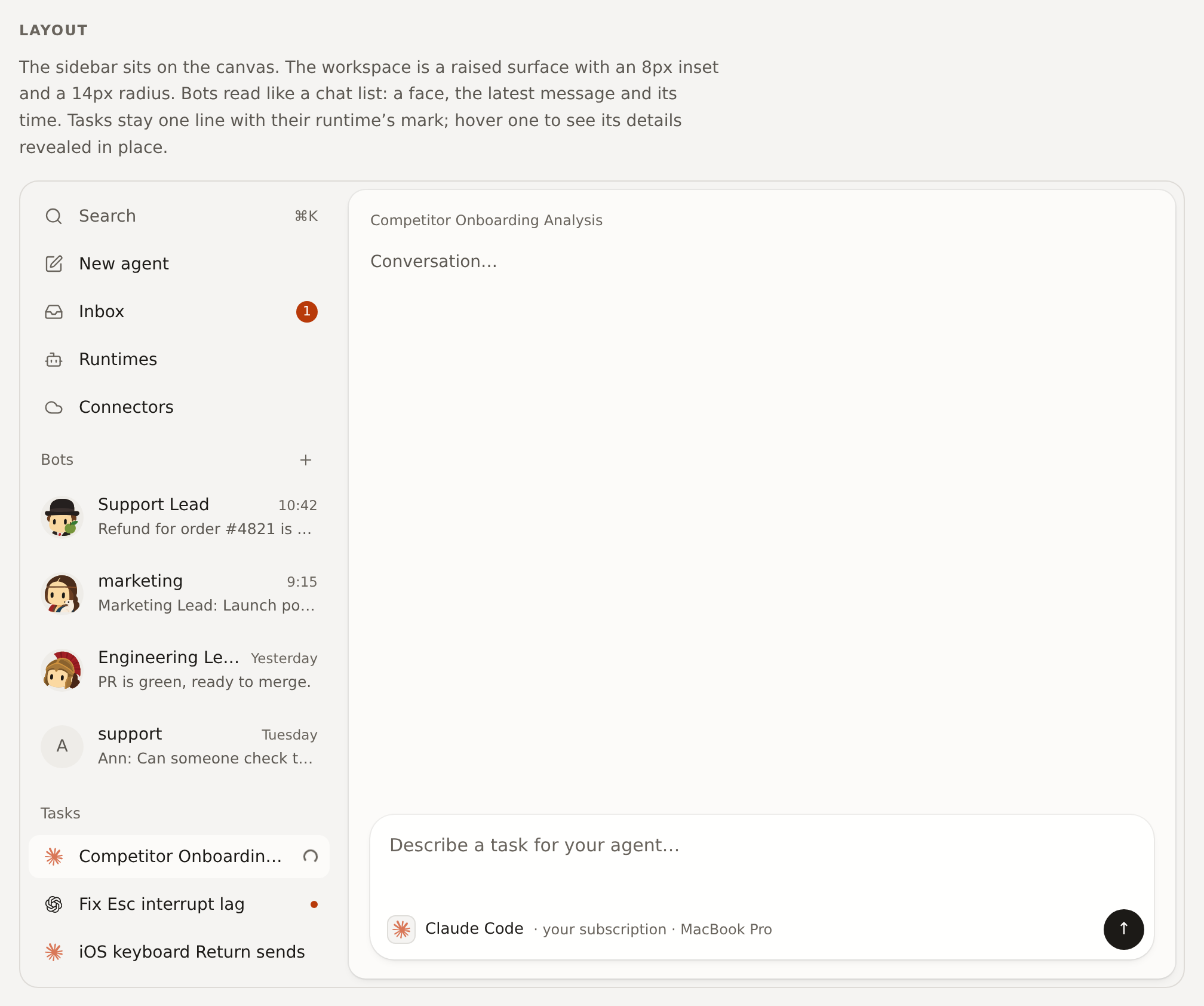
- Bots reads like a messaging app. Each Bot's chat and each group channel shows a face, the latest message and when it was sent, newest first. The + beside the title creates a new Bot.
- Tasks lists every agent session on one line, marked with its runtime's icon, such as Claude Code or Codex. Hover a task to see its details, such as linked work, revealed in place.
- New agent, Inbox, Runtimes and Connectors sit at the top.
- Titles fade out at the edge only when something sits at the end of the row.
Colors that mean one thing
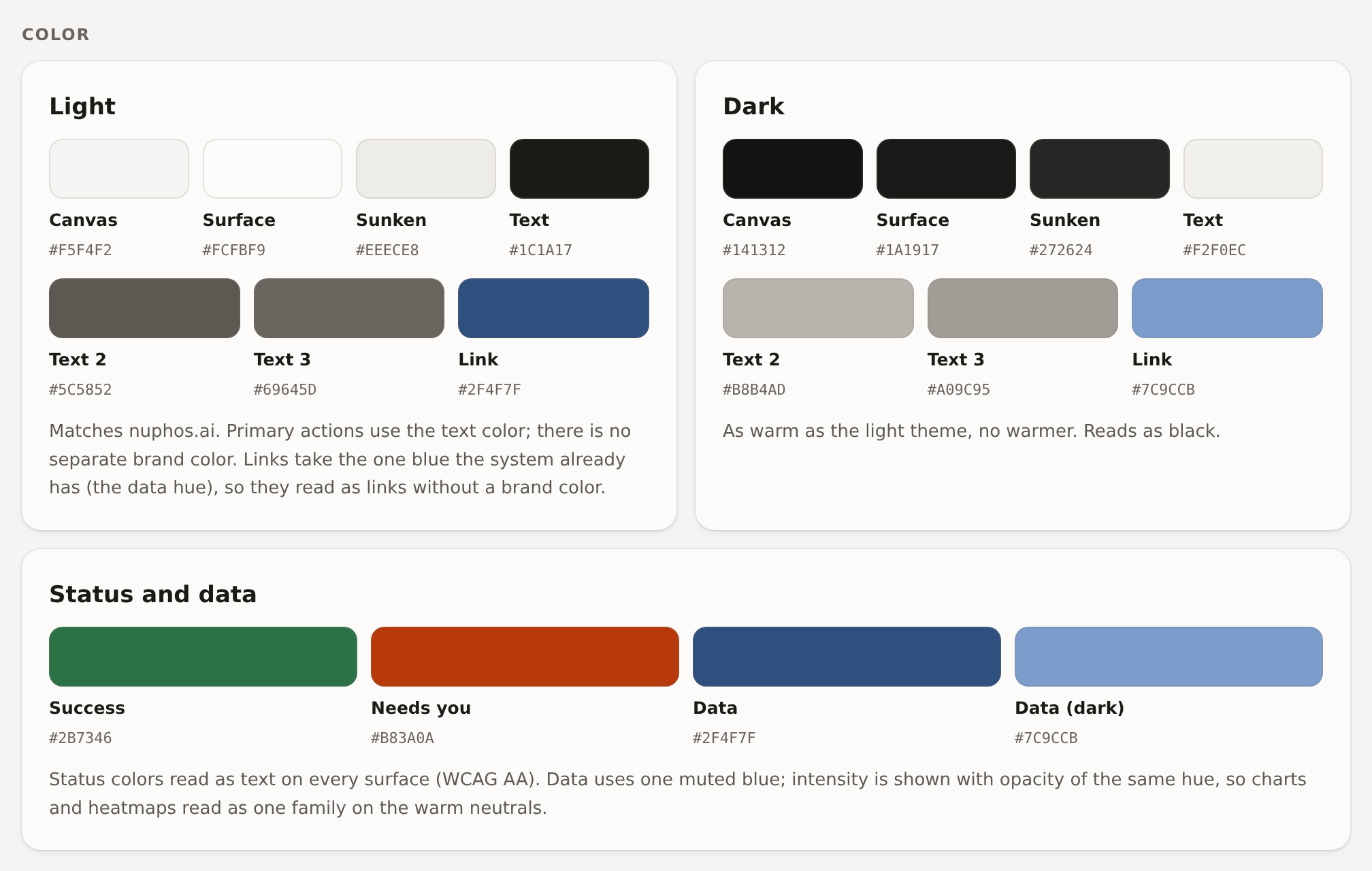
- Text and controls are ink on paper; there is no separate brand color. Buttons, cards and menus share one set of surfaces in light and dark.
- Needs you has one color, used for every count that waits on you: the Inbox, pending questions and team invitations.
- Charts and usage use one muted blue, stepped by intensity.
- Text meets WCAG AA contrast on every surface in both themes, checked by tests on every change.
A calmer chat
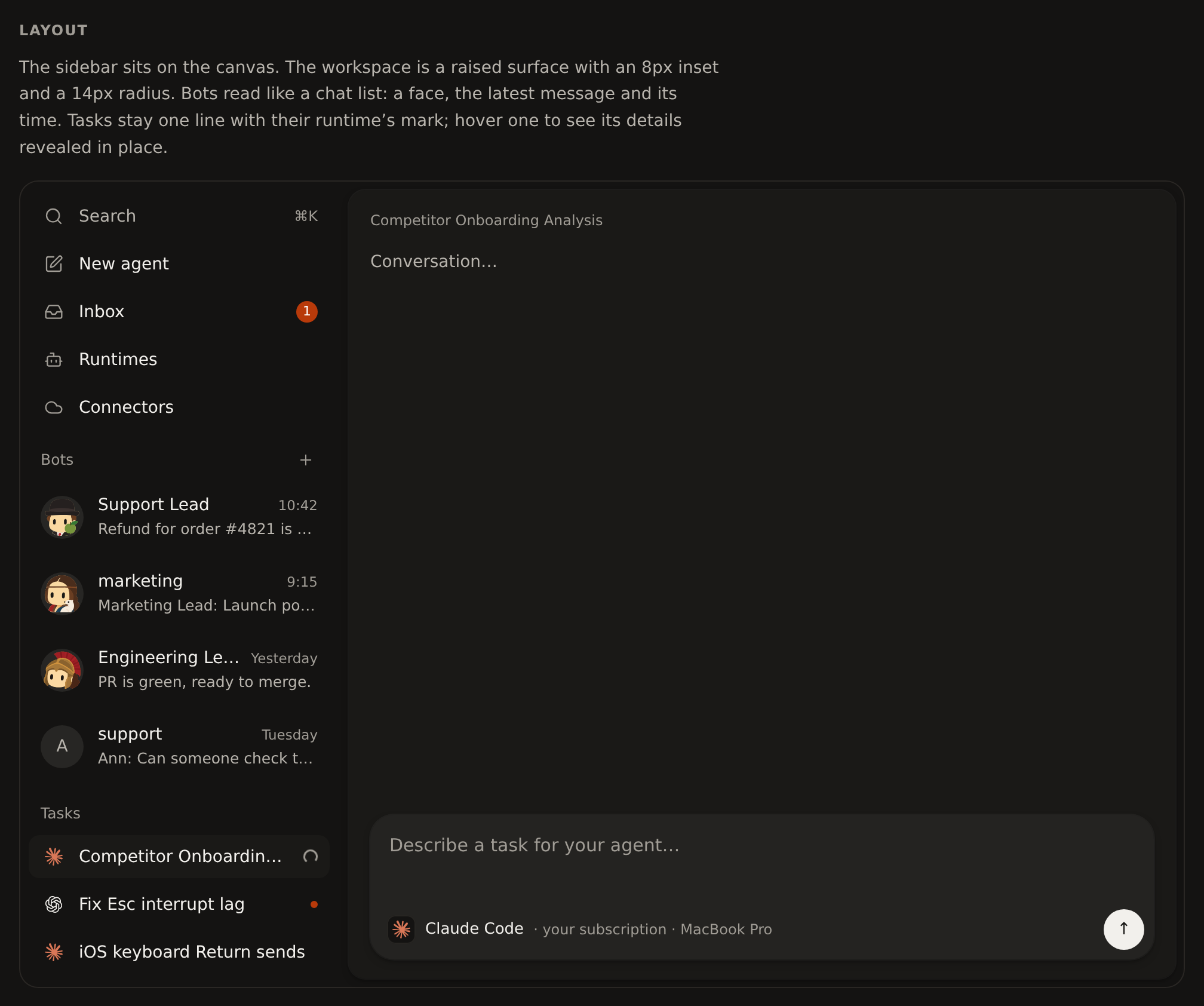
- Cards that ask for your action, such as approvals, secrets, connections and plans, sit on the same raised surface as the composer.
- Linked resources in the titlebar are plain tags with their status icon. Three or more open links from one service collapse into one tag, such as 9 issues, that lists them all; the ✕ to unlink appears on hover.
- Buttons and links show the pointer cursor.
Fixes
- Your own message bubble keeps its links readable.
- Chart tooltips, floating cards and badges over images use an opaque surface, so content behind them no longer shows through.